

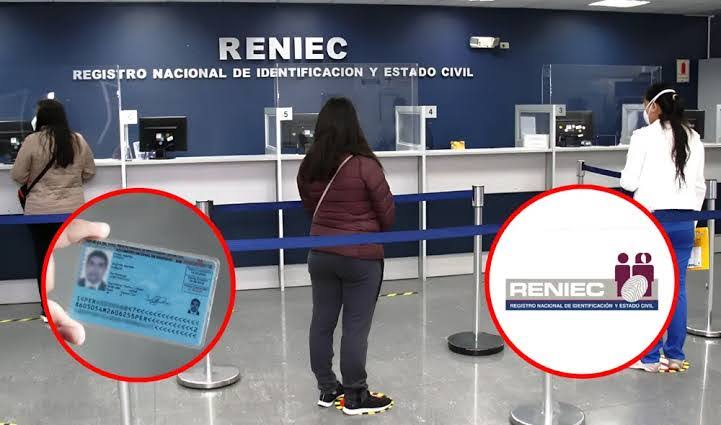
You can check a Peruvian DNI online for free through RENIEC (Registro Nacional de Identificación y Estado Civil), the national identity registry. You enter a DNI number on an official RENIEC page, solve a short verification, and read the result. The public check confirms basic identity data. It does not open anyone’s private file.
This guide explains what you need, the steps, and what each result means.
What a DNI Check Actually Does
The DNI (Documento Nacional de Identidad) is the identity document every Peruvian citizen uses for banking, voting, work, and government paperwork. RENIEC issues it and keeps the registry behind it.
An online check serves two common needs:
- Verifying a DNI number – you confirm the number exists and matches a name.
- Tracking a DNI procedure – you see whether your renewal or duplicate is ready for pickup.
These are different services. Pick the one that matches your goal before you start.
What You Need Before You Start
Gather these items first:
- A DNI number. It has 8 digits, followed by a verification digit.
- A device with internet. A phone or computer works.
- Your procedure number, only if you track a renewal or duplicate.
- A legitimate reason. Check your own DNI, or one you have a lawful reason to verify.
Warning: Do not use these tools to look up strangers. RENIEC protects personal data under Peru’s data protection law, and misuse can carry legal consequences.
How to Check a DNI Online – Step by Step
Step 1 – Open the official RENIEC site
Go to the RENIEC page on gob.pe (gob.pe/reniec) and open its online services section. Check that the address ends in .gob.pe. Fake sites copy RENIEC’s look to collect your data.
Step 2 – Choose the right service
Select the service that fits your need. Use the identity validation service to verify a DNI number. Use the procedure status service to track a renewal or duplicate.
Step 3 – Enter the DNI number
Type the 8 digits exactly. Add the verification digit if the form asks for it. Double-check each number before you continue.
Step 4 – Complete the verification
Solve the CAPTCHA or security prompt. This blocks automated bulk lookups.
Step 5 – Read the result
Submit the form and review what appears. The next section explains each outcome.
Tip: Use a mobile browser in portrait mode if the form looks cramped. Zoom in before typing so you do not mistype digits.
What the Result Shows
The public check returns limited data. Based on RENIEC’s public validation service, expect this:
| Result element | What it means |
|---|---|
| Names and surnames | The registered name linked to the DNI number |
| Verification digit | The check digit that confirms the number is valid |
| No match / error | The number is wrong, or the record cannot be confirmed |
The public check does not show a birth date, photo, address, civil status, or the card’s expiry date. RENIEC keeps those private. If a website promises them for free, treat it as a red flag.
If you track a procedure, the status tells you whether your DNI is in process or ready to collect. Confirm the pickup details and office on the official channel. Offices and schedules can change.
Where to Find Extra Help
Many people want a plain-language walkthrough before they open the official forms. A guide that explains the reniec consulta dni process in simple steps can help, but always finish the actual check on the official .gob.pe site.
Common Problems and Quick Fixes
The page says the DNI is not found
Recheck every digit. Then confirm you chose the correct service. If the number is right and the error persists, contact RENIEC.
The site does not load
Try again later or switch browsers. Government portals slow down at peak hours. Do not move to an unofficial mirror just to get a result.
The name looks different
Small spelling differences can come from old records. If your own record looks wrong, ask RENIEC about correcting it, and you can look up the oficinas de reniec to see where in-person service is offered.
You lost your DNI
A check does not replace the card. Ask RENIEC about a duplicate and verify the current requirements and fees on the official channel.
Safety Rules for Any DNI Check
- Never share your DNI number or card photo on social media.
- Ignore messages asking you to pay for a “free” check.
- Avoid sites that ask for your password, bank details, or an OTP.
- Close the page if the address does not end in .gob.pe.
- Check only what you need. Do not collect other people’s data.
FAQ
Is checking a DNI online free?
Yes. RENIEC’s public validation and status services are free. Verify any fee on the official site before you pay anything.
What information does a public DNI check show?
It shows the registered names and surnames plus the verification digit. It does not show a photo, address, birth date, or civil status.
Can I check someone else’s DNI?
Only for a lawful reason, such as verifying an identity in a legitimate transaction. Do not look up people out of curiosity or for harassment.
How do I know if my DNI is ready to collect?
Use the procedure status service on RENIEC’s official online services. Enter your DNI or procedure number as the form requests.
Do I need an account or password?
The basic public checks usually do not need one. Some other RENIEC services may ask for login. Never type a password on a site that is not .gob.pe.
Why does the result say the DNI was not found?
You may have mistyped a digit, chosen the wrong service, or entered an invalid number. Retry carefully, then contact RENIEC if it still fails.
Final Thoughts
Start with the official RENIEC pages, enter only the data you need, and read the result without expecting private details. If anything on screen feels off, stop and verify it with RENIEC directly.
