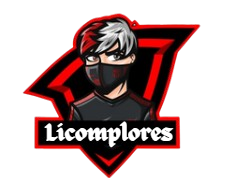


In today’s digital-first world, your profile picture is more than just an image, it’s your identity. A cartoon avatar can help you stand out, express your personality, and connect with your audience in a creative way. In fact, avatars act as your “digital you,” helping people instantly recognize and relate to you across platforms.
If you’ve ever wanted to create a playful, eye-catching avatar but didn’t know where to start, this guide will walk you through everything, from concept to final design.
Why Cartoon Avatars Are So Popular
Cartoon avatars have exploded in popularity across platforms like Instagram, TikTok, and LinkedIn, and for good reason.
First, they allow for creative self-expression. Unlike photos, avatars aren’t limited by reality. You can experiment with styles, colors, and features that reflect your personality.
Second, they offer privacy and flexibility. Many users prefer avatars to avoid sharing personal photos while still maintaining a recognizable presence online.
Finally, avatars can boost engagement. Unique and visually appealing avatars tend to attract more attention, making profiles more memorable and interactive.
Step 1: Define Your Avatar’s Purpose
Before jumping into design, ask yourself:
- Is this avatar for personal branding?
- Do you want it to look like you, or be completely fictional?
- Which platforms will you use it on?
Your purpose matters because different platforms call for different styles. For example:
- LinkedIn – clean, semi-professional avatar
- Instagram – fun, colorful, expressive
- Gaming/Discord – bold, exaggerated designs
Understanding your goal will guide every design decision.
Step 2: Choose the Right Style
Cartoon avatars come in many styles. Choosing the right one sets the tone for your entire profile.
Popular Styles to Consider:
- Minimalist – Clean lines, simple colors (great for professionals)
- Anime-inspired – Expressive and emotional
- Caricature – Exaggerated features for humor
- 3D avatars – More modern and immersive
- Flat illustrations – Trendy and social-media friendly
A good rule of thumb: match your avatar style with your personality or brand voice.
Step 3: Start Designing (Even Without Skills)
The easiest way to begin is by using digital tools, especially by using an avatar creator. These platforms let you customize everything without needing graphic design experience.
What You Can Customize:
- Face shape and skin tone
- Hair style and color
- Eyes, eyebrows, and expressions
- Clothing and accessories
- Background and props
Many tools offer drag-and-drop features, making the process beginner-friendly and fast.
Step 4: Focus on Key Facial Features
Your avatar’s face is the most important element. Even small tweaks can dramatically change how it’s perceived.
Tips:
- Keep it recognizable – Include signature traits (glasses, beard, hairstyle)
- Use expressive eyes – They convey emotion instantly
- Add a smile or emotion – Makes your avatar more relatable
Studies show that avatars reflecting your personality help build stronger connections and trust online.
Step 5: Use Color Psychology
Colors aren’t just aesthetic, they communicate meaning.
Here’s how to use them effectively:
- Blue – Trust, professionalism
- Red – Energy, passion
- Yellow – Creativity, positivity
- Black – Sophistication, authority
Choose colors that align with your personal brand or the impression you want to make.
Step 6: Add Fun Elements
This is where cartoon avatars truly shine, creativity!
Consider adding:
- Headphones (for music lovers)
- Books (for knowledge-focused profiles)
- Gaming gear
- Pets
- Fantasy elements (wings, neon effects, etc.)
These details make your avatar unique and memorable.
Step 7: Keep It Simple and Scalable
Remember: your avatar will often appear as a small icon.
Best Practices:
- Avoid too many tiny details
- Use bold lines and clear shapes
- Ensure visibility even at small sizes
- Keep the background clean
A cluttered avatar can lose impact when scaled down.
Step 8: Stay Consistent Across Platforms
Consistency is key for recognition.
Using the same (or slightly adapted) avatar across platforms:
- Builds brand identity
- Makes you easier to recognize
- Strengthens trust with your audience
Even minor differences in avatars can confuse followers, so keep your visual identity aligned.
Step 9: Test and Improve
Don’t be afraid to experiment.
Try:
- Different expressions (serious vs. playful)
- Color variations
- Background changes
Pay attention to engagement, likes, comments, and profile visits. If one version performs better, refine it further.
Common Mistakes to Avoid
Even great ideas can fail with poor execution. Watch out for:
- ❌ Overcomplicating the design
- ❌ Ignoring platform context
- ❌ Making it too generic
- ❌ Changing avatars too frequently
Consistency and clarity always win.
Final Thoughts
Designing a fun cartoon avatar isn’t just about aesthetics, it’s about storytelling. Your avatar represents who you are (or who you want to be) in the digital world.
A well-crafted avatar can:
- Boost engagement
- Strengthen your personal brand
- Help you stand out in crowded feeds
And the best part? You don’t need advanced skills to create one. With the right approach and tools, anyone can design an avatar that feels authentic, creative, and uniquely theirs.
