
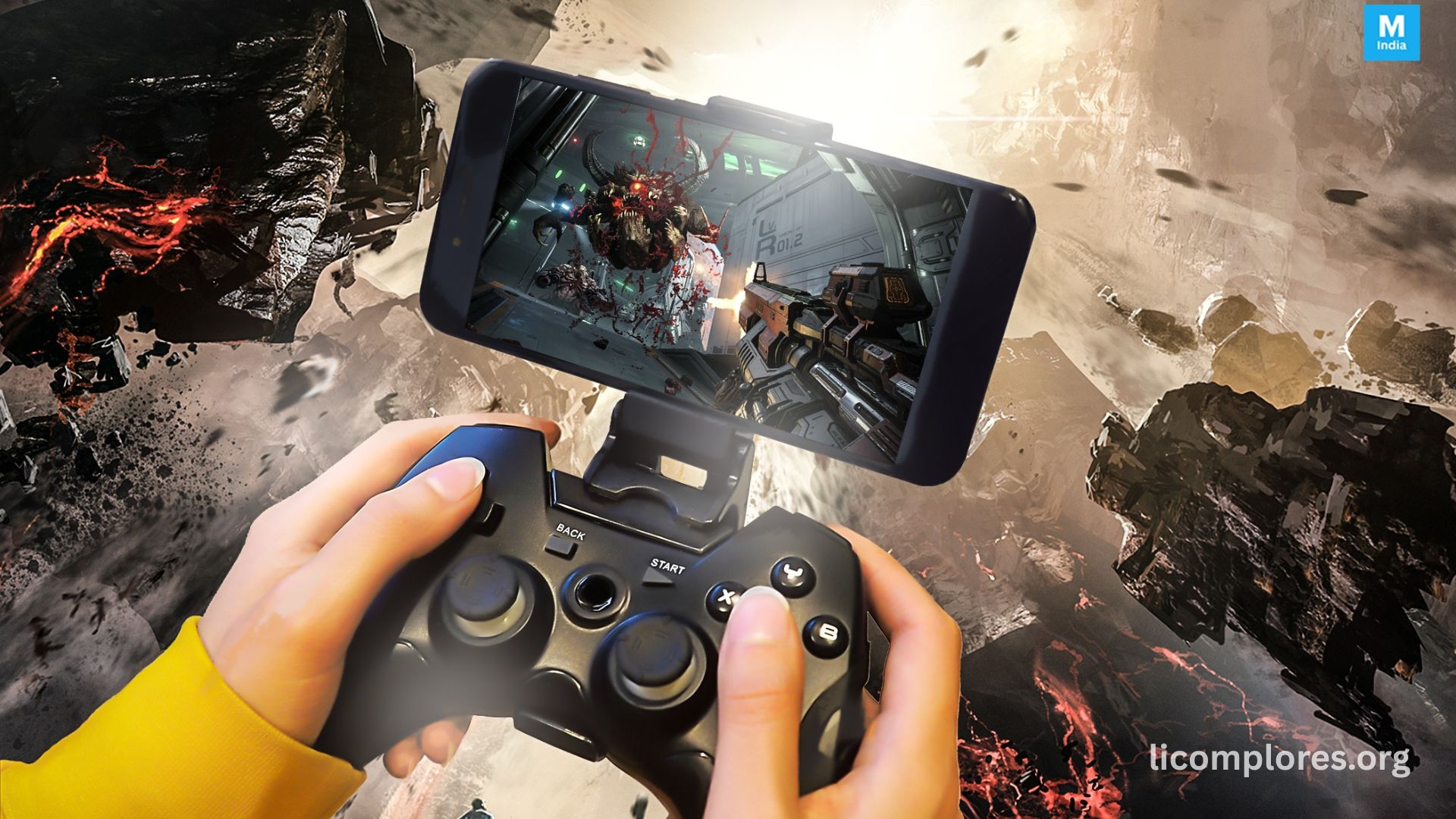
How to play PC video games on Android phones is becoming more popular as cloud gaming and streaming technology continue improving. Many gamers now use Android devices to access PC-quality games without needing expensive gaming hardware. Modern smartphones support cloud gaming apps, remote desktop streaming, and gaming accessories that make portable PC gaming easier and more accessible.
Improved internet speeds and stronger mobile hardware have changed the gaming industry significantly. Players can now stream PC games directly to Android phones with stable graphics and responsive controls. This allows users to enjoy advanced gaming experiences anywhere with a reliable internet connection and compatible streaming platform.
Cloud Gaming Services for Android Devices
Cloud gaming services allow users to play PC games on Android phones without requiring powerful internal hardware. Games run on remote servers while gameplay is streamed directly to the smartphone in real time. This method provides access to high-end PC titles through internet connectivity instead of local processing power.
Many gaming companies now offer cloud gaming platforms with growing game libraries and improved streaming quality. Stable internet speed is essential because gameplay performance depends heavily on low latency and smooth connectivity. Faster Wi-Fi and strong mobile networks usually provide better streaming experiences with reduced lag.
Remote Desktop Streaming From a Personal PC
- Remote desktop streaming connects Android phones directly to a personal gaming PC for gameplay access.
- The PC handles all game processing while the smartphone works as a display and control interface.
- Special apps transmit visuals and controls between devices using Wi-Fi or internet connections.
- Local network streaming offers smoother performance due to lower latency compared to remote connections.
- Wireless controllers on Android improve gameplay accuracy and are widely used for portable PC gaming access.
Android Hardware Requirements for PC Gaming
Android hardware still affects gaming performance even when using cloud streaming services. Smartphones with modern processors, sufficient RAM, and high refresh rate displays usually provide smoother gameplay experiences with better touch responsiveness and reduced lag during gaming sessions.
Battery life and cooling systems are also important because streaming applications consume significant power during long sessions. Many gamers prefer devices with gaming-focused features and accessory support such as Bluetooth controllers, cooling fans, and external keyboards for improved comfort and gameplay efficiency.
Internet Speed and Connection Stability
Internet quality is one of the most important factors for PC gaming on Android phones. Slow or unstable connections can cause blurry graphics, delayed controls, and interrupted gameplay. Most cloud gaming services recommend strong Wi-Fi or high-speed broadband for stable performance.
Low latency is especially important for multiplayer and competitive games where fast reactions matter. Many users improve streaming quality by reducing background internet activity and using faster routers. Expanding 5G technology is also helping improve mobile cloud gaming performance worldwide.
Popular Apps Used for PC Game Streaming
Several applications support PC game streaming and cloud gaming on Android devices. Some apps provide access to cloud-based game libraries, while others focus on remote desktop connectivity for personal computers. These apps often include customizable controls and graphics optimization features.
Many streaming applications also support cross-platform synchronization, allowing players to continue progress between PC and Android devices. Competition between streaming platforms continues growing as more companies invest in mobile gaming accessibility and cloud gaming technology.
Controllers and Accessories for Better Gameplay
- Gaming controllers significantly improve the experience of playing PC games on Android phones.
- Touchscreen controls are suitable for casual games, but PC titles require higher accuracy and precise button control.
- Bluetooth controllers provide smoother movement and more responsive gameplay for better performance.
- Accessories like cooling fans, controller mounts, and gaming triggers improve comfort during long gaming sessions.
- Some players also use keyboards and mice for better aiming accuracy in shooting and strategy-based games.
Challenges and Limitations of PC Gaming on Android
Despite major improvements, PC gaming on Android phones still has some limitations. Internet dependency remains the biggest challenge because unstable connectivity can reduce gameplay quality and increase input delay during competitive matches.
Smartphones also have smaller screens and shorter battery life compared to traditional gaming systems. Long gaming sessions may cause overheating and faster battery drain. Some PC games additionally have complex controls that are difficult to fully optimize for mobile devices.
Future of PC Gaming on Android Phones
The future of PC gaming on Android phones looks increasingly promising as cloud gaming technology continues advancing. Faster internet speeds, stronger mobile processors, and improved streaming optimization are helping deliver smoother gaming experiences for Android users worldwide.
Future developments may include AI-based streaming optimization and better low-latency systems for competitive gaming. As gaming companies continue investing in cross-platform accessibility, Android phones are expected to become even more important for portable PC gaming experiences.
Read More: Best Free Fire Sensitivity Settings for BlueStacks
Frequently Asked Questions
Can Android phones run PC games directly?
Most Android phones cannot run full PC games natively, but they can stream games through cloud gaming or remote desktop apps.
What internet speed is best for cloud gaming?
Stable high-speed internet with low latency provides the best cloud gaming performance on Android devices.
Are gaming controllers necessary for Android PC gaming?
Controllers are not always necessary, but they improve control accuracy and gameplay comfort significantly.
Does cloud gaming require a gaming PC?
No, cloud gaming services use remote servers, so users can play without owning a gaming computer.
Can low-end Android phones support PC game streaming?
Yes, many low-end devices can stream games if they have stable internet and compatible streaming applications.
Why does game streaming lag on Android phones?
Lag usually occurs بسبب slow internet speeds, high latency, weak Wi-Fi signals, or overloaded network traffic.
Is 5G good for cloud gaming on Android?
Yes, 5G networks can improve streaming speed, reduce latency, and provide smoother gameplay experiences.
Can I use a keyboard and mouse with Android gaming?
Yes, many Android devices support Bluetooth or USB keyboards and mice for better gaming control.
Conclusion:
How to play PC video games on Android phones is becoming increasingly important as cloud gaming and remote streaming technologies continue improving worldwide. Android devices now provide flexible access to PC gaming experiences through streaming platforms, remote desktop software, and advanced gaming accessories. Stable internet connections, optimized hardware, and efficient streaming applications all contribute to smoother gameplay performance on smartphones. As gaming companies continue investing in mobile cloud infrastructure and low-latency technologies, Android phones are expected to become even more capable platforms for enjoying portable PC gaming experiences in the future.
