

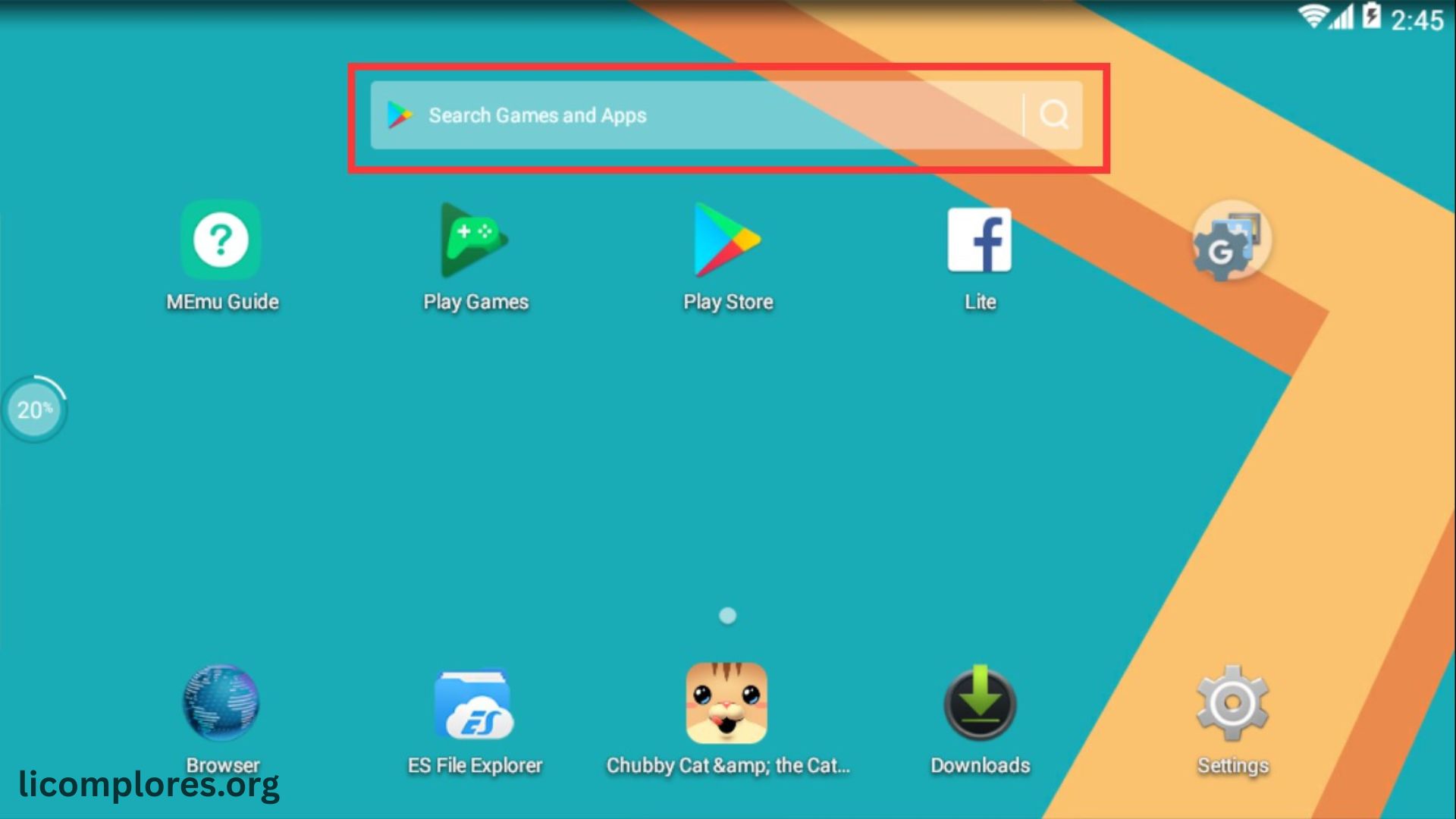
MEmu emulator has become one of the most widely used Android emulation platforms for Windows users who want to run mobile apps and games on a PC environment. It allows users to experience Android applications on a larger screen with improved controls, better performance, and enhanced customization options. With the growing popularity of mobile gaming, especially competitive titles, many players prefer using emulators like MEmu to achieve smoother gameplay and more precise control compared to touchscreen devices.
The demand for Android emulators has increased rapidly as users look for alternatives that offer better performance and multitasking capabilities. MEmu emulator stands out because it supports advanced features such as keyboard mapping, multi-instance usage, and hardware acceleration. These features make it suitable not only for gamers but also for developers and testers who need a stable Android environment on Windows. As mobile gaming continues to evolve, MEmu remains an important tool in bridging the gap between smartphones and PC gaming experiences.
What Is MEmu Emulator and How It Works
MEmu emulator is an Android virtualization software designed for Windows operating systems. It creates a virtual Android device on a computer, allowing users to install and run mobile apps directly on their desktop. The emulator uses system resources such as CPU, RAM, and GPU to simulate an Android environment, ensuring that applications run smoothly with optimized performance settings.
The working mechanism of MEmu emulator is based on virtualization technology, which enables efficient hardware utilization. It supports multiple Android versions, giving users flexibility to run different apps depending on compatibility requirements. The emulator also integrates Google Play services, making it easier to download apps without manually installing APK files. This combination of features allows users to enjoy a seamless Android experience on PC without needing a physical smartphone.
Installation Process and Setup Requirements
- Installing MEmu emulator is a simple process suitable for both beginners and advanced users.
- Users must download the official setup file from a trusted source before starting installation.
- Enabling virtualization technology in BIOS is recommended for better performance and stability.
- System requirements like a multi-core processor, sufficient RAM, and updated graphics drivers are important for smooth operation.
- After installation, users can customize resolution, CPU, and memory settings for optimized emulator performance.
Gaming Performance and Optimization Features
MEmu emulator is widely recognized for its strong gaming performance, especially for Android games that require high responsiveness. It supports hardware acceleration, which enhances graphics rendering and reduces lag during gameplay. This makes it suitable for action-packed games and competitive multiplayer titles where precision and speed are essential.
Performance optimization tools within the emulator allow users to adjust CPU cores, RAM allocation, and graphics settings. These customization options help improve gameplay stability and reduce frame drops. Many players prefer using MEmu emulator because it offers smoother performance compared to standard mobile devices, especially during long gaming sessions where overheating and battery issues are common on smartphones.
Key Features of MEmu Emulator
MEmu emulator includes several advanced features designed to improve user experience and flexibility. One of its most popular features is keyboard mapping, which allows users to customize controls for better gameplay precision. It also supports game controllers, providing console-like gaming experience on PC.
Another important feature is multi-instance support, which allows users to run multiple Android environments simultaneously. This is useful for gamers managing multiple accounts or developers testing different apps. Additionally, the emulator includes screen recording, file sharing, and drag-and-drop APK installation, making it a versatile tool for both gaming and productivity tasks.
Compatibility and App Support
MEmu emulator supports a wide range of Android applications and games, making it a versatile platform for users. It is compatible with popular gaming titles, productivity apps, and social media platforms. The emulator frequently receives updates to ensure compatibility with new Android versions and applications.
App performance on MEmu emulator depends on system configuration and optimization settings. High-performance systems deliver smoother gameplay and faster loading times, while lower-end systems may require reduced graphics settings. Despite these variations, the emulator maintains strong compatibility across most Android applications, ensuring a stable user experience.
Security and Stability Considerations
Security is an important factor when using any emulator, and MEmu emulator focuses on providing a safe environment for users. It is recommended to download the software only from official sources to avoid modified or harmful versions. Regular updates help fix bugs, improve stability, and enhance system security.
Stability is influenced by system hardware, driver updates, and emulator configuration. Users can improve stability by enabling virtualization technology and keeping graphics drivers updated. Proper system optimization reduces crashes and ensures smoother performance during gaming or app usage. These measures help maintain a reliable Android experience on PC.
Advantages of Using MEmu Emulator
- MEmu emulator provides a larger screen experience that improves visibility and overall usability for gamers and developers.
- It offers better control accuracy through customizable keyboard and mouse settings for enhanced gameplay performance.
- Multi-instance support allows users to run multiple apps or game accounts simultaneously on the same system.
- The emulator delivers better gaming performance with reduced lag and smoother frame rates on optimized hardware.
- These advantages make MEmu a preferred choice for users seeking a stable and flexible Android environment on Windows.
Future of MEmu Emulator in Android Gaming
The future of MEmu emulator looks promising as Android gaming continues to grow globally. With increasing demand for mobile-to-PC gaming solutions, emulators are becoming more advanced and optimized. Developers are focusing on improving performance, reducing latency, and enhancing compatibility with new Android versions.
Future updates may include better AI-based optimization, improved graphics rendering, and deeper integration with cloud gaming technologies. As the gaming industry evolves, MEmu emulator is expected to remain a key platform for users who want a seamless bridge between mobile and PC gaming experiences.
Read More: Little Caesars COD Redeem Codes Guide 2026
Frequently Asked Questions
What is MEmu emulator used for?
It is used to run Android apps and games on Windows PCs.
Is MEmu emulator free?
Yes, it is available as free software for users.
Does MEmu support gaming?
Yes, it is widely used for playing Android games on PC.
Is MEmu emulator safe?
Yes, if downloaded from official sources, it is safe to use.
Can low-end PCs run MEmu?
Yes, but performance may be limited on low specifications.
Does MEmu support keyboard controls?
Yes, it includes advanced keyboard mapping features.
Can I run multiple apps in MEmu?
Yes, it supports multi-instance functionality.
Does MEmu require virtualization?
Virtualization is recommended for better performance.
Conclusion:
MEmu emulator provides a powerful solution for running Android applications and games on Windows systems with improved performance and control. It offers advanced features like keyboard mapping, multi-instance support, and hardware optimization, making it suitable for both gamers and developers. As Android gaming continues to expand, MEmu emulator remains a reliable platform for users seeking a smooth and customizable mobile experience on PC.
